
Skip to content
Washington DC · Brand Identity & Launch Kit

One identity. Ready for the next introduction.

Your proposal, website and event material should introduce the same organisation. Softglimmer develops brand identities and launch kits for Washington DC teams working with us remotely. From our studio in Ranchi, India, we bring the positioning brief, visual direction, usable assets and launch decisions into one agreed engagement.

Explore the scope
A complete identity engagement, from the brief to the files people use
  1. 01

    Decide what it should express

    Agree the audience, purpose and character before choosing a direction.

  2. 02

    Build a usable identity

    Connect the logo, type, colour and selected everyday templates.

  3. 03

    Prepare the release

    Put approved files, permissions and an owner in place for launch.

An example journey, shaped around your requirements.

Give the organisation a consistent way to introduce itself.

A visual identity has to carry the right name, make information recognisable and remain usable when another person prepares the next document. Start with the organisation’s purpose, audiences and existing materials. Decide what should be retained, what needs to change and which statements the business can support. These decisions become the creative brief for the identity.

The engagement can cover discovery and positioning, visual direction, a new or refined logo system, type and colour rules, an agreed set of reusable assets and practical guidance for applying them. We review the direction on the actual touchpoints selected for launch. A proposal cover, a mobile website header and an event announcement reveal different weaknesses; approving only a large logo on a blank page leaves those questions unanswered.

For a Washington DC team preparing a partner-supported programme or professional-service launch, the brief can also record which organisation owns each name, logo and approval. The client supplies accurate names, descriptions, partner permissions and any relevant review requirements. We turn that approved material into the selected visual system. Naming research, extensive messaging, a website build and print production are listed separately when required, so the proposal says what the identity commission will actually deliver.
Resolve the approval questions before the creative rounds.

Use one written brief and one person responsible for consolidating feedback.

01

Refresh an existing identity or create a new one?

Show us the current files and the situations where they stop working. A refresh can retain a familiar mark while improving type, colour and applications. A replacement needs an agreed reason and a plan for retiring old assets.

02

Which names and partner marks may appear?

Separate the organisation’s identity from programme titles, sponsor marks and partner acknowledgements. Record who supplies approved artwork, who grants permission and who signs off each application. Do not invent a combined logo arrangement.

03

What must be ready for the first announcement?

List the real launch uses and dimensions: for example, a proposal cover, social profile and event notice. Select the templates needed at the first release, along with the tools the team will use to edit them.

04

Who can approve the direction?

Nominate one decision owner and identify additional reviewers before design starts. Agree how comments will be consolidated and what a signed-off stage means. A new stakeholder or revised business name can change the scope.

Review the kit as a set of working assets.

Your proposal names the selected formats, applications, creative rounds and responsibilities.

01

Positioning and creative brief

A concise record of the audience, purpose, desired character, existing recognition and practical constraints. It defines what the identity needs to communicate and who approves the direction.

02

Logo system

The agreed master mark and required lockups, light and dark versions, clear-space guidance and small-size examples. We list the source and export formats rather than treating every file extension as interchangeable.

03

Type and colour guidance

A usable hierarchy for headings and body text, digital colour values, contrasting combinations and font requirements. Print specifications and proofs are added when the selected applications need them.

04

Visual language

Examples showing how spacing, imagery and graphic elements work together. The aim is enough guidance for the next contributor to extend the system without having to recreate its decisions.

05

Selected launch templates

The actual starter materials agreed in the brief, such as a presentation cover, proposal page or social asset. Editable formats are chosen around the software and skills available to the people maintaining them.

06

Handover and release inventory

An organised asset package with usage notes, approved version, ownership record and any third-party licence requirements. The handover identifies the person maintaining master files after launch.

A working example from our own studio.

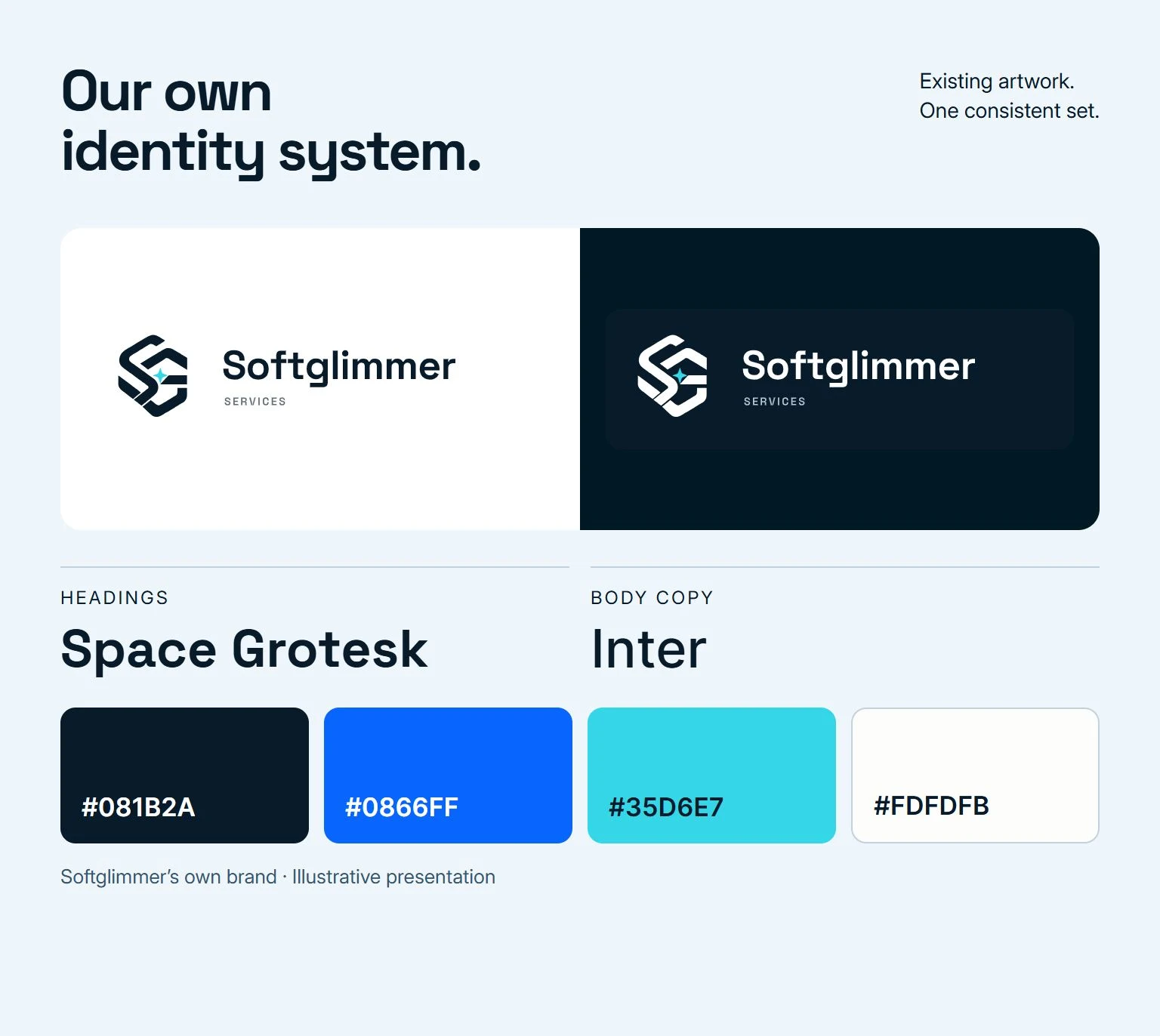
Softglimmer’s own identity shows how a mark, type and colour can form a usable set. This board uses our existing logo artwork and the type and colour choices present on this website. It is an example of our own brand, not a Washington DC client project or a claim about a client’s results.

Keep the artwork intact

The mark and wordmark shown here come from our existing brand files. Their proportions remain unchanged when the surrounding layout changes.

Give colours distinct jobs

Our dark foundation, blue action colour and cyan accent serve different roles. In a client kit, those roles and usable text/background combinations belong in the guidance alongside the colour values.

Make the handover specific

For your identity, agree which variants and editable templates are delivered. Typography and image licences need their own record; receiving an export does not automatically transfer third-party rights.

Softglimmer’s existing logo, Space Grotesk and Inter typography, and dark, blue, cyan and pale brand colours on an example identity board.
Our own Softglimmer identity, assembled from existing assets. Illustrative presentation, not a Washington DC client case.

Approve the identity where it will be used.

These are useful review tasks for the applications included in your scope.

ApplicationPrepareReviewAccept when
A small website headerUse the approved logo variant at the intended narrow-screen size.Inspect the name, mark, spacing and contrast with the actual header content.The correct identity remains recognisable without crowding navigation or hiding the name.
A proposal or presentationInsert a realistic title, client name and a longer section heading.Check the hierarchy, page breaks and editable styles in the chosen document tool.The intended editor can replace content while keeping the agreed visual structure.
A partner-supported announcementPlace only the supplied, permitted partner marks and approved wording.Review the hierarchy and acknowledgements with the named approver.All required approvals are recorded for that application before it is released.
The master-file handoverOpen the delivered sources and exports with the receiving team.Check the inventory, version names, editing access and stated licence requirements.The owner can locate the right file and knows which changes need further approval.
Illustrative planning scenario

A hypothetical association prepares a programme launch.

Imagine a Washington DC association launching a new member programme. It needs an identity for the programme, an announcement and a short presentation, while retaining the association’s existing parent identity. This is a planning scenario, not a Softglimmer client case. The first design decision is the relationship between the parent and programme names. The brief identifies the parent mark that must remain intact, the approved programme title and the partners allowed to appear on launch materials. A single reviewer collects comments from the people responsible for those assets. The agreed first kit could then contain the programme lockup, type and colour rules, one announcement template and the presentation starter pages. Before release, the team checks the real programme title, permitted partner marks, longer text and the tools used by its editor. A new programme website or ongoing event production would receive its own scope.

Preserve the parent identity

Record the supplied mark and the rules that already apply.

Agree the programme relationship

Approve the name, visual hierarchy and permitted partner use together.

Release the selected kit

Check the announcement and presentation, then name the asset owner.

A launch kit is ready when the intended team can use its approved files.

Work remotely with clear review points.

Our studio is in Ranchi. For a Washington DC engagement, we agree review sessions that work for both teams and confirm local times for each session.

  1. 01

    Discover and define

    Review the organisation, existing assets and selected launch uses. Confirm the brief, decision owner, deliverables, creative rounds, dependencies and estimate.

  2. 02

    Develop and compare

    Present the agreed visual directions on representative applications. Consolidate comments through the named approver and record the reasons for the selected direction.

  3. 03

    Refine and verify

    Develop the chosen system and selected templates. Review small-size use, realistic content, permitted partner marks and the editing tools used by the receiving team.

  4. 04

    Deliver and introduce

    Provide the approved asset inventory and usage guidance. Walk through an ordinary update, record remaining launch responsibilities and agree any further implementation or support.

Questions before commissioning an identity.

Bring your current brand files, a short business description and the materials needed for the next launch.

Are you a branding agency based in Washington DC?

Our studio is in Ranchi, India. We provide identity design and launch-kit work remotely for Washington DC clients. We do not claim a local office. Review sessions and any onsite requirements are agreed before the engagement.

Can you keep our existing logo?

Yes. We can scope a visual-system refresh around the approved logo, including typography, colour, layout and selected templates. Any change to the mark itself is discussed and approved separately.

Is this only a logo design service?

No. The engagement can cover the positioning brief, logo system, type and colour rules, visual language, agreed templates and handover. The proposal lists the selected work, formats and creative rounds. A logo-only task is a smaller scope.

Are naming and trademark clearance included?

Naming work is included only if stated in the proposal. Trademark searches, registration and legal clearance are separate responsibilities requiring appropriate advice. Your organisation approves its business and programme names and supplies permissions for existing third-party material.

Will we receive editable files and own every asset?

The proposal identifies the delivered source and export formats and the rights included in the commissioned work. Fonts, stock images and other third-party assets may have separate licences. We record those requirements and who obtains the licences before handover.

Does the kit include a website or printed materials?

The identity can be prepared for the selected web and print applications, but a working website, printing, signage fabrication and distribution are separate deliverables unless expressly included. We can plan connected web implementation using the approved identity.

How do you price and schedule the engagement?

We estimate from the brief, existing assets, selected applications, number of directions and review rounds, and client approval requirements. The proposal states the assumptions and dependencies. Confirm a launch date only after the necessary material and review availability are known.